Overview
DED sending limitations
Emails will not be delivered to:
- Users who are not part of your Google tenant.
-
Guest users in your Google tenant (e.g.
@gmail.com, or any user whose mailbox is not hosted on your Google tenant) -
Aliased addresses using “+” (e.g.
name+alias@wizer-training.com)
If your organization is unable to use Direct Email Delivery due to technical, policy, or any restriction, phishing simulation emails can still be delivered by configuring Google Workspace whitelisting.
You can see our guide here → Google Workspace Whitelisting
How to connect?
Step 1:
While in the Wizer admin console Phishing simulation tab, press on the Phishing simulation settings option: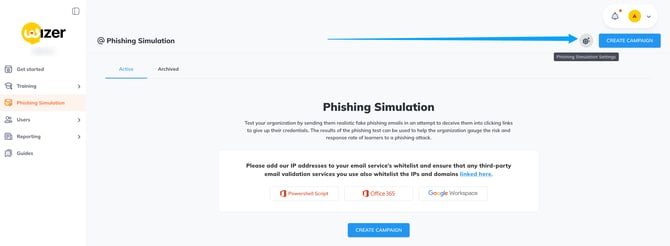
Step 2:
Once in the settings tab select Direct Email Delivery, expand the Gmail DED tab and review the configuration: 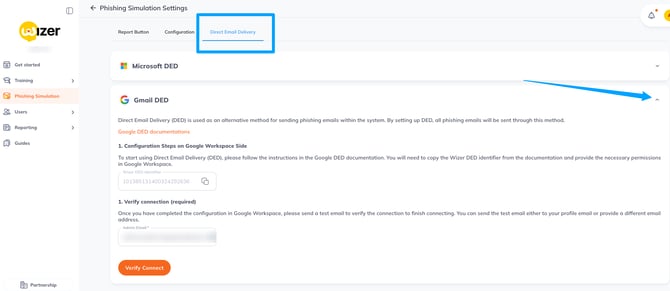
Step 3:
Access https://admin.google.com/ as the workspace admin, and navigate to Security>Access and Data control> API controls tab: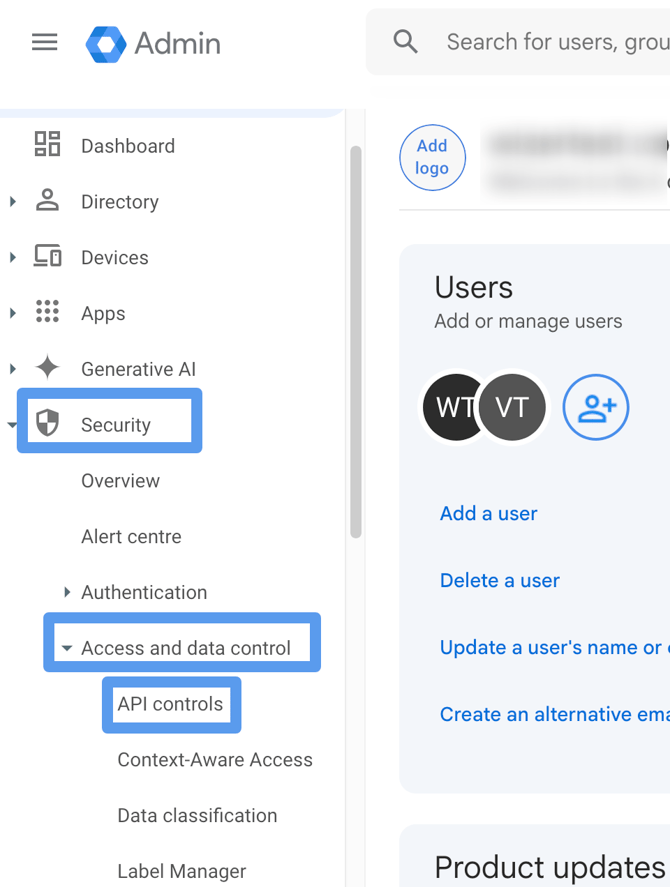
Step 4:
Once in the API controls settings press on the manage domain-wide delegation: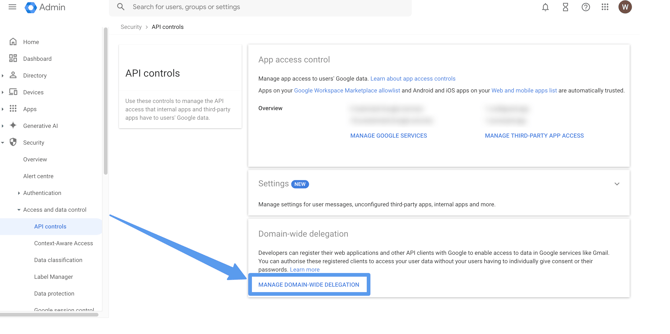
Step 5:
Once in the domain-wide delegation setup, press add new: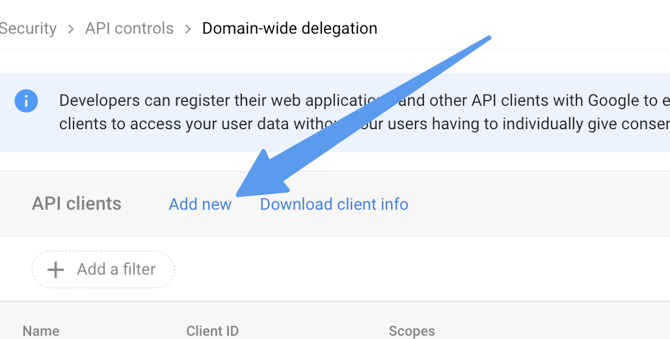
A new window will appear where you should insert the following values:
1. Client ID, can be obtained and copied in the Wizer admin:
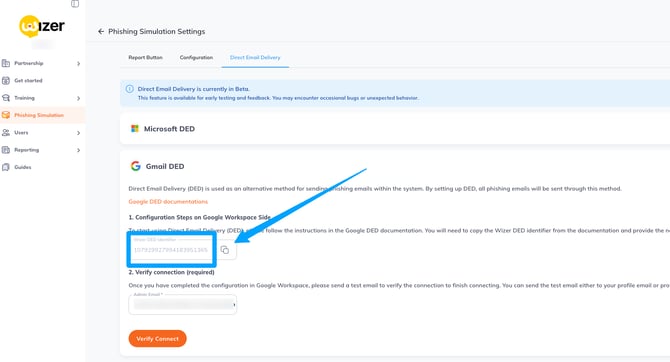
2. For OAuth scope use - https://www.googleapis.com/auth/gmail.insert
Your configuration should look like below: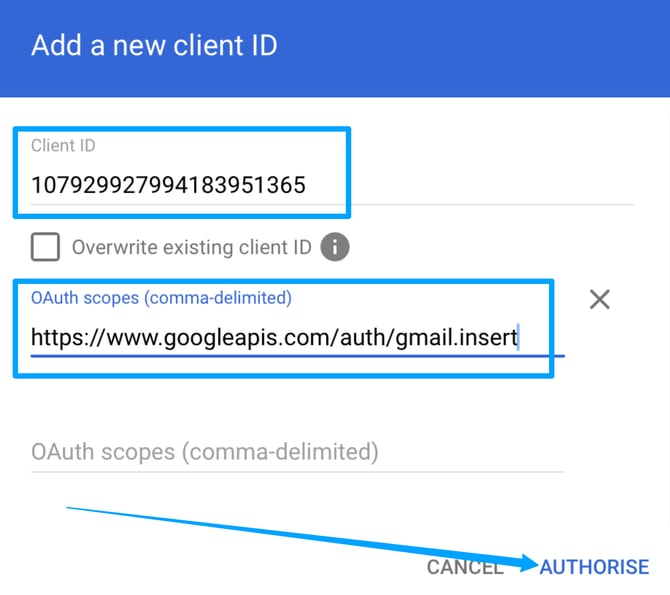
Once you press to authorize the new client with 1 scope will be added.
Step 6:
Navigate back to the Wizer admin DED setup page.
| IMPORTANT! Please ensure you insert to the below field the admin email of the user that exists in the Google Workspace you authorized the API client for in the previous step |
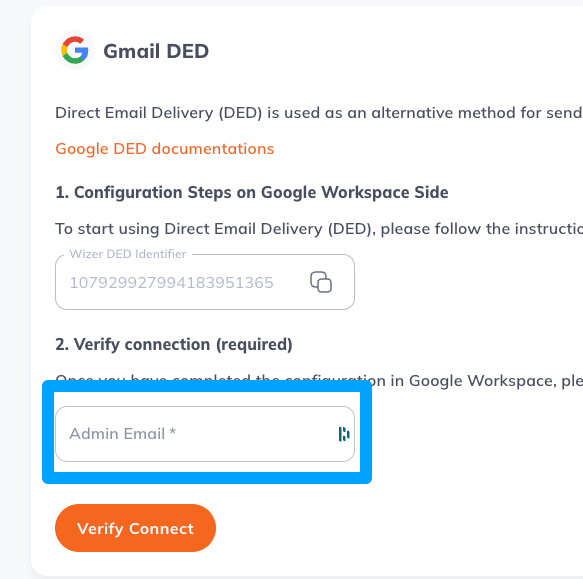
Once done please press the verify connect button: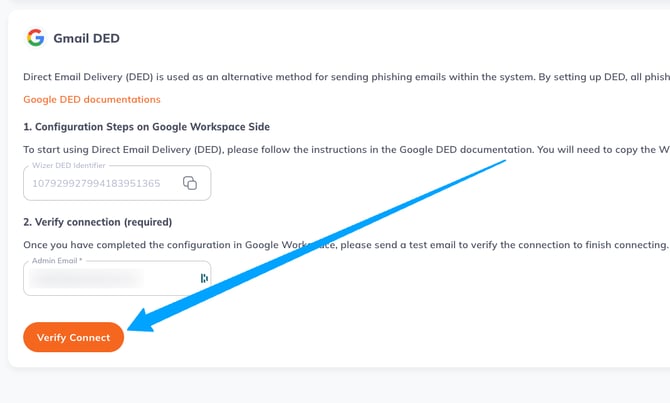
Once the connection is verified you should see the below screen: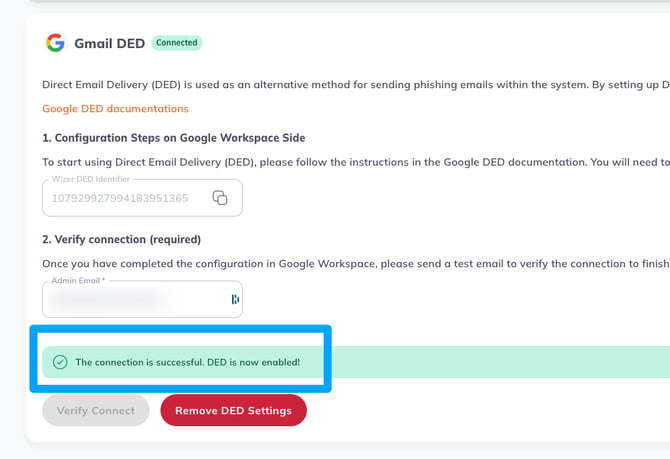
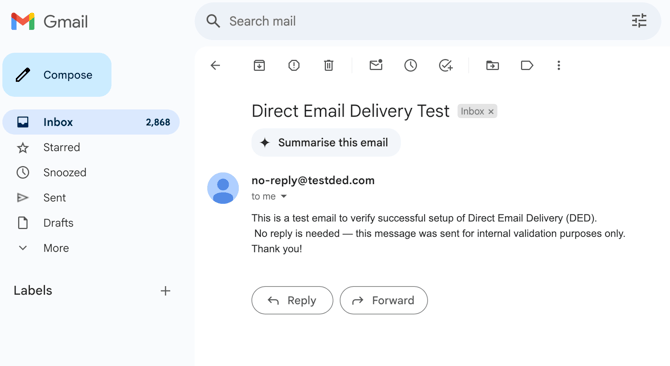
After DED is connected you will receive the confirmation email to the address inserted in the Admin Email field: