
The AI Risk Assessment is a free tool designed to help organizations and Partners evaluate internal AI usage. As AI tools become ubiquitous, "Shadow AI" (the unauthorized use of personal AI accounts or unapproved integrations) is a growing security concern. This feature allows you to distribute a simple survey to employees, aggregate the data, and visualize the company's AI risk posture on a central dashboard.
Key Capabilities
- Centralized Dashboard: View aggregated survey responses to identify gaps in policy knowledge and unauthorized AI tool usage.
- PDF Reporting: Easily export and download the dashboard results as a PDF to share with stakeholders or use during account reviews.
- Privacy-First Aggregation: To encourage honest answers about unauthorized app usage, responses are strictly anonymized and only displayed in aggregate, fostering a safe reporting environment for employees.
How to Use the AI Risk Assessment Tool
For Standard Organizations
- Navigate to the login portal and authenticate (via Google SSO or manual login with 2FA).
- Copy the shareable survey link located at the top of the main dashboard.
- Distribute the link to your employees.
- Monitor the dashboard for incoming results.
Dashboard Data & Reporting
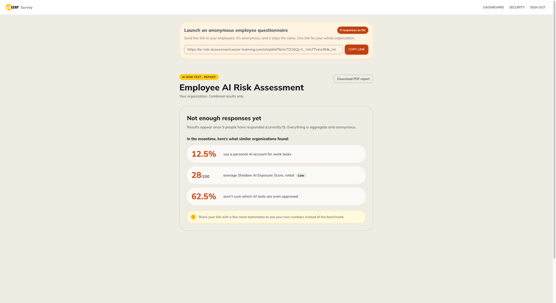
To protect employee privacy and ensure meaningful analytics, the dashboard relies on minimum response thresholds.
- Minimum Responses: A dashboard requires at least five (5) completed surveys before it begins displaying internal organizational data.
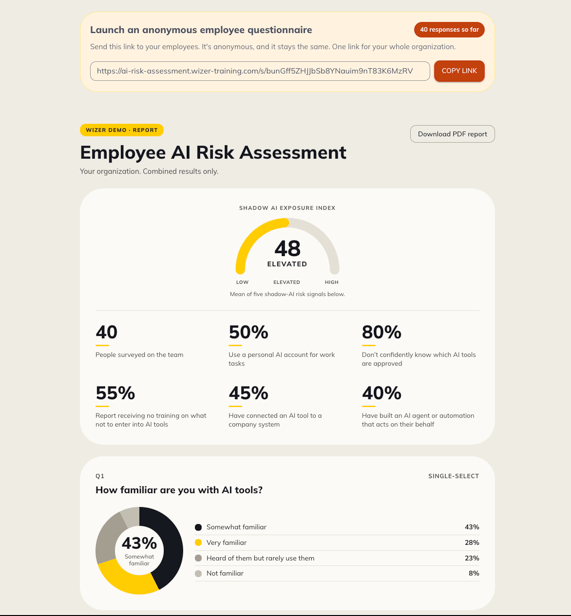
- Exporting Data: Click the Download PDF Report button to save the current dashboard view. This is highly useful for sharing insights with executives who do not have login credentials.
Best Practices for Deployment
Maximizing the effectiveness of the AI Risk Assessment requires strategic distribution. Here are a few recommended ways to deploy the survey:
- Policy Audits: Use the tool to gauge if employees actually know which AI tools are company-approved, as many organizations overestimate their team's awareness.
- Foster a "Safe" Reporting Environment: Communicate clearly in your distribution email that the survey's goal is to assess organizational risk, not to punish individuals. Employees are far more likely to truthfully disclose Shadow AI usage if they know they won't face disciplinary action for trying to be productive.
- Identify Tooling Gaps: Pay close attention to patterns in the unauthorized tools your employees report using. If a significant portion of your team relies on a specific unvetted AI app, it indicates a legitimate operational need that IT should formally evaluate, secure, and officially adopt.